
 Quick and Easy Setup
 Low Ping / High Performance
 Support 24/7
Premium Gameserver
Project Zomboid Server Hosting (PC)
3 days starting at $1.84
Order nowChoose Your Server Plan
There is no win condition in Project Zomboid, just varying lengths of time before the screen fades and the game quietly informs you: 'This is how you died.' You make a new character, remember what went wrong, and try again. Few games have built an entire identity around inevitable failure and made it this compelling. For a private world where the apocalypse runs exactly the way your group wants it, custom sandbox settings, your own rules, no strangers burning down the safehouse, Project Zomboid server hosting from GPORTAL is the right call, backed by more experience running these servers than anyone else in the world.
Choose your server plan


Max. 32 Slots per server
The servers for Project Zomboid allow a maximum of 32 players.
Benefits

Endless slots, no limits
With your Project Zomboid server you get endless slots and have no limits

Backup storage space
50GB backup space for your savegames and configs

24/7 support
24/7 support via ticket system with fastest possible response

World's largest Project Zomboid hoster
GPORTAL is the world's largest Project Zomboid hoster

DDoS protection
DDoS protection thanks to Bulwark™ and Corero, multi-layered defense for your best gaming experience.

Immediately online
Your server is available in under 3 minutes

Hardware
Latest NVMe SSD server hardware
Payments


Our 5-Star Ratings on Trustpilot
The GPORTAL Webinterface
FAQ’s about our Project Zomboid servers

All settings are clearly displayed in the GPORTAL web interface. In Minecraft, for example, you can decide whether you want to activate animals, display villages in the seed, or change the maximum building height—all with just a few clicks. Other games have their own settings. Log in, open the menu (left side), adjust the desired option, and you're done. No fiddling around with config files necessary.

In Project Zomboid, a server may require more RAM depending on the number of players or mod selection. To enable lag-free play, it is necessary to adapt the RAM to your desired slot configuration.
Here we show you various recommendations for the respective number of slots on your server.
- 4 players = 3 GB RAM
- 6 players = 4 GB RAM
- 8 players = 5 GB RAM
- 16 players = 9 GB RAM
- 32 players = 18 GB RAM

Stuff happens, even with the best hosting servers. A mod breaks your world, a script crashes the server, or someone deletes the wrong file—and poof, progress is gone. Unless you’ve got a backup. With GPORTAL, backups are easy. Open the Backup tab in the web interface and save your current server state in a few clicks. Automated backups via FTP are also available for those who prefer not to leave anything to chance.

We have a detailed step by step guide for you in our Wiki. This way you can quickly play on your desired custom map.
A DDoS attack—short for Distributed Denial of Service—is basically when someone floods your server with fake traffic to overload it and knock it offline. Not fun. That’s why we’ve partnered with Bulwark™ and Corero to provide multi-layered DDoS protection, blocking attacks before they even reach your game. The result? Smooth performance and no interruptions—even when someone’s trying to ruin the party.

For mod installation, we've created a completely new system that lets you search for mods and add them to your server directly from our web interface. Even possible dependencies to other mods are displayed to you and can also be installed directly with just one click. No external downloads or other software are required. It really doesn't get any easier than this.

A Project Zomboid multiplayer server supports up to 32 players. GPORTAL uses a RAM-based model, meaning your player capacity is determined by your chosen RAM plan rather than a fixed slot count. With up to 18 GB of RAM available, you can reach the full 32-player limit.
Our Server Locations

Project Zomboid Gallery


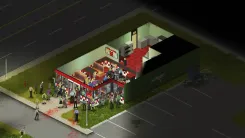
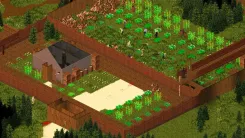
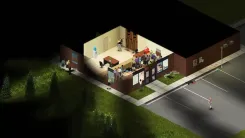
Zombies Never Die, But You Probably Will on Your Project Zomboid Private Server
The gaming landscape without zombies? Almost unimaginable! Project Zomboid occupies a unique corner of the zombie genre because it takes its own premise completely seriously. The isometric perspective gives you a bird's eye view of Knox County and plenty of room to make catastrophic decisions from above. There is a deep RPG skill system covering everything from carpentry and cooking to foraging and mechanics, nearly endless loot spread across a massive map, and survival mechanics so detailed that boredom and depression can finish you just as efficiently as a bite. Released in 2013 and still going strong, it has built one of the most loyal player communities in survival gaming by refusing to make anything easy. Project Zomboid server hosting from GPORTAL puts that entire world into your hands, a dedicated environment that stays online whether you are in it or not, always ready for your next ill-fated attempt at civilization.
This Is How You Died, And How You Will Die Again
Zombies mean trouble, and in this game you will absolutely die. Not once, not twice, but consistently and creatively, until you start wondering if the game is somehow personal. Did you miss the zombie in the corner of that warehouse? Got cornered by a crowd you assumed was manageable? Did a minor scratch lead to fever, then infection, then a quiet death three days later in a house you thought was safe? All of this is working as intended. Project Zomboid generates most of its appeal from being genuinely unforgiving, you die from mistakes, you learn from them, and you come back a little less naive each time. The meta events that drag new hordes into your area, the long-term resource scarcity, the ever-shrinking margins: solid Project Zomboid server hosting means that when you finally make it past day ten, the server keeps running while you sleep.
Your Apocalypse, Your Rules, Sandbox and Settings
One of Project Zomboid's biggest strengths is how deeply configurable it is. On your own server, you set the terms: zombie population from quiet and sparse to a seething mass that makes entering any building a tactical decision. Zombie speed can be tuned from slow shambler to sprint runner, and their behavior, whether they hear noise, respond to light, or decide to open doors, is entirely in your control. Loot scarcity, season start, weather, PvP rules, starting conditions: everything adjusts to match the experience your group is looking for. Dedicated Project Zomboid server hosting gives you that control without compromise, because sandbox settings only mean something when you are the one holding them.
Not Only Zombies Come in Masses, Project Zomboid Server Hosting with Mods
The Project Zomboid modding community is genuinely enormous. Through the Steam Workshop, you will find additions for practically every aspect of the game: new weapons and gear, overhauled gameplay mechanics, alternative maps ranging from small custom towns to large regional recreations, clothing, vehicles, NPC frameworks, and quality-of-life improvements that feel like they belong in the base game. Installing mods on your Project Zomboid server hosting at GPORTAL is handled directly through the web interface, select your mods, restart the server, and you are running. If you want to refresh a long-running server or completely change the experience for a returning group, the Workshop has enough content to guarantee that boredom is never really an option.
Get the Best Project Zomboid Server Hosting Running Today
GPORTAL's Project Zomboid server rental runs entirely on a prepaid model, no subscriptions, no contracts, and no hidden fees. Select your RAM plan, fund your account via PayPal, credit card, or Paysafecard, and your game server is live in under 3 minutes. All settings, mods, and backups are managed through the web interface with no config file headaches required. If the undead get genuinely exhausting, the Gamecloud lets you move your slots over to a Minecraft server or a Hytale server and come back to Knox County whenever you are ready. Project Zomboid server hosting from GPORTAL starts at $1.88 for three days. This is how you survived, at least for now.


