
 Quick and Easy Setup
 Low Ping / High Performance
 Support 24/7
Premium Gameserver
7 Days To Die Server Hosting [PC]
3 days starting at $4.03
Order nowChoose Your Server Plan
Day one. You wake up in a barren wasteland with nothing but your fists and a desperate need to not die. By nightfall, the zombies get faster, smarter, and meaner. By day seven, all hell breaks loose. On a public server, you also get to deal with strangers griefing your base, wiping your loot, and ruining the experience you spent hours building. If you want to survive on your own terms, quality 7 Days to Die server hosting is the answer—full control, your rules, your world.
Choose your server plan


Benefits

Backup storage space
50GB backup space for your savegames and configs

DDoS protection
DDoS protection thanks to Bulwark™ and Corero, multi-layered defense for your best gaming experience

World's largest 7 Days To Die hoster
GPORTAL is the world's largest 7 Days To Die hoster

7 Days To Die Slots
PC: 6 - 30 Slots
Console: 6 - 8 Slots

Immediately online
Your server is available in under 3 minutes

Hardware
Latest NVMe SSD server hardware

Update 3.0 "Dead Hot Summer"
Experience the massive 3.0 update "Dead Hot Summer"

7D2D Crossplay
Crossplay between PC, PS5 and Xbox (PC crossplay limited to 8 players/slots)

24/7 support
24/7 support via ticket system with fastest possible response
Our 5-Star Ratings on Trustpilot
Payments


The GPORTAL Webinterface
FAQ’s about our 7 Days To Die PC servers
A DDoS attack – short for Distributed Denial of Service – is basically when someone floods your server with fake traffic to overload it and knock it offline. Not fun. That’s why we’ve partnered with Bulwark™ and Corero to provide multi-layered DDoS protection, blocking attacks before they even reach your game. The result? Smooth performance and no interruptions – even when someone’s trying to ruin the party.

Stuff happens, even with the best hosting servers. A mod breaks your world, a script crashes the server, or someone deletes the wrong file – and poof, progress gone. Unless you’ve got a backup. With GPORTAL, backups are easy. Just open the “Backup” tab in the server menu and save your current state in seconds.
Want to automate it? Use a plugin or mod that creates regular backups and stores them safely via FTP access (depending on the game). Easy, smart, and future-you will thank you.

All settings are clearly displayed in the GPORTAL web interface. In Minecraft, for example, you can decide whether you want to activate animals, display villages in the seed, or change the maximum building height—all with just a few clicks. Other games have their own settings. Log in, open the menu (left side), adjust the desired option, and you're done. No fiddling around with config files necessary.

Select the server on which you want to delete the world and click on "Status" in the menu to find the FTP access data, which you enter into the desired program to connect. On the FTP you can now delete the folder with the savegames. Important: Be aware that deleting the folder will delete all player and map data and cannot be undone. You can find detailed instructions in our wiki.

Stop your server and name your savegame. Go to the basic settings and set the gameworld to "RWG". "WorldGenSeed" defines the look of the map. Enter a seed here and adjust the size of the map under "Worldgensize". Save your settings and start your server. You can find detailed instructions in our wiki.

You can upload your own mods to your server via FTP. Make sure that you use the server version of the mod. In 7 Days To Die there are also client mods that you cannot use on your server. To use the pre-installed mods, you can find a corresponding tab called "Mods" in our web interface. You can activate or deactivate mods such as Ravenhearst, Darkness Falls and others using the slider. You can find detailed instructions in our wiki.
Our Server Locations

7 Days To Die Gallery


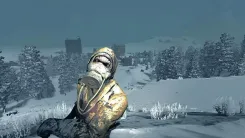
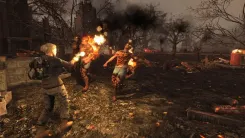
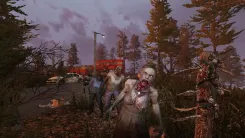
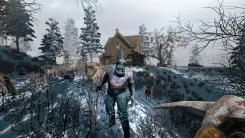
More Than Just Zombies—Why 7 Days To Die Stands Alone
You cannot put 7 Days to Die into the box of a typical zombie survival game because it refuses to stay in one genre. Developed by The Fun Pimps, it blends first-person shooter mechanics with tower defense, RPG progression, crafting, and open-world survival into something that has kept players hooked for over a decade. The result is a game where no two sessions feel the same and the question "what do I do next?" never really goes away.
The loop is brutally satisfying. During the day, you loot collapsed houses, strip cars for parts, raid military outposts, and desperately try to build something that will still be standing by morning. At night, the undead come for you. Every seventh night, they come in waves. The Blood Moon Horde is the defining mechanic of 7 Days to Die—a relentless, escalating assault on everything you have built, designed to test whether your base was actually as solid as you thought. Spoiler: it usually was not. The RPG system adds a layer that many survival games completely ignore. Skill points let you specialize into distinct playstyles across five attributes: Agility, Perception, Fortitude, Strength, and Intellect. Go deep into Agility and Perception for a fast, ranged build, stack Strength and Fortitude for a melee tank that laughs at Blood Moon hordes, or invest in Intellect for better crafting and a drone companion. The 2.0 update "Storm's Brewing" overhauled this system entirely, adding ten perks per attribute alongside a brand new General Perks tab for core survival skills that no longer require specialization to access. A build this deep deserves a server that keeps up—which is exactly what quality 7 Days to Die server hosting is built for.
2.0 "Storm's Brewing" Update for 7 Days to Die Server Hosting
The 2.0 update is the biggest change to 7 Days to Die since the game left Early Access. Navezgane, the iconic handcrafted map, received a complete redesign to support the new Biome Progression System. You now start in the Pine Forest and must earn Biome Badges by completing zone-specific challenges before venturing into more dangerous areas. The Desert brings sandstorms and heatstroke, the Snow biome sends blizzards and freezing temperatures, and the Wasteland hits you with radiation storms that drain your health in real time.
New enemies match their environments. The desert Plague Spitter launches swarms of insects at you, while the snow biome's Frost Claw moves in ways that keep you permanently on edge. Higher gamestage encounters introduce Charged Blue and Infernal Orange zombie archetypes, each with unique behaviors that force you to rethink late-game strategies. If you have not touched the game since before 1.0, the 2.0 update is a compelling reason to come back—and 7 Days to Die server hosting gives you a clean slate to experience it properly.
Minecraft meets DayZ
At its core, 7 Days to Die is best described as Minecraft meets DayZ – the creative freedom of an open sandbox world combined with the brutal, unforgiving tension of a hardcore survival experience. That combination sounds simple on paper, but in practice it creates a game with almost endless depth. During the day you build, craft, and prepare. At night you fight for everything you just built. With reliable 7 Days to Die server hosting, that world stays online, stable, and exactly the way you left it.
Your Own 7 Days To Die Private Server Hosting—Built for Your Group
The best version of this game is the one you play with friends—and with dedicated 7 Days to Die server hosting, the rules are yours to set. Want to double the loot abundance so you can focus on building? Done. Prefer a brutal experience with scarce resources and relentless zombie hordes? Also done. The server settings in the GPORTAL webinterface give you direct control over zombie difficulty, loot frequency, day length, Blood Moon frequency, and much more—all without touching a config file manually.
For those who want to go even further, 7 Days to Die modded server hosting opens up an entirely different dimension. The modding community around this game is enormous and has been active for years. Overhaul mods like Darkness Falls and War of the Walkers are among the most popular, each completely transforming progression, enemies, crafting, and the overall challenge level. Note that major overhaul mods typically need time to update after large game patches, so always check mod compatibility with your current game version before installing. Smaller quality-of-life mods require no such caution and can adjust everything from UI tweaks to vehicle handling with minimal friction.
Reliable 7 Days To Die Game Server Hosting—Getting Started With GPORTAL
Good 7d2d server hosting comes down to two things: performance and simplicity. GPORTAL delivers both. Setting up your server takes minutes—choose your slot count, pick a server location close to your group, select your runtime, and pay via PayPal, credit card, or Paysafecard. Everything from there runs through the webinterface, no command line required.
All 7 Days to Die dedicated server plans run 100% prepaid with no contracts and no hidden fees. If you ever need a break from the wasteland, the Gamecloud lets you switch your slots to a completely different game at any time, whether that is a Valheim server, a Rust server, or an Palworld server. Your 7 Days to Die world stays safely backed up until you return.
For anyone searching for the best 7 Days to Die server hosting with a proven track record, GPORTAL's position as the world's largest host for this specific game says everything. Whether you want to rent a server for a weekend session or run a long-term community server for months, the setup is the same: fast, flexible, and built around the game.


