Outlaws of the Old West
The Wild West as a huge MMO: Create your own world with its modular building system and survive in the harsh North American environment.
Together with your friends, battle against other players, bandits or wild animals – the possibilities are almost endless.
Basic server configuration
Create backup
You can create backups for your GPORTAL server if you want to. You receive free storage space for saving your game play.
Note Please note that backups are not created automatically.
How to create a backup via the web interface:
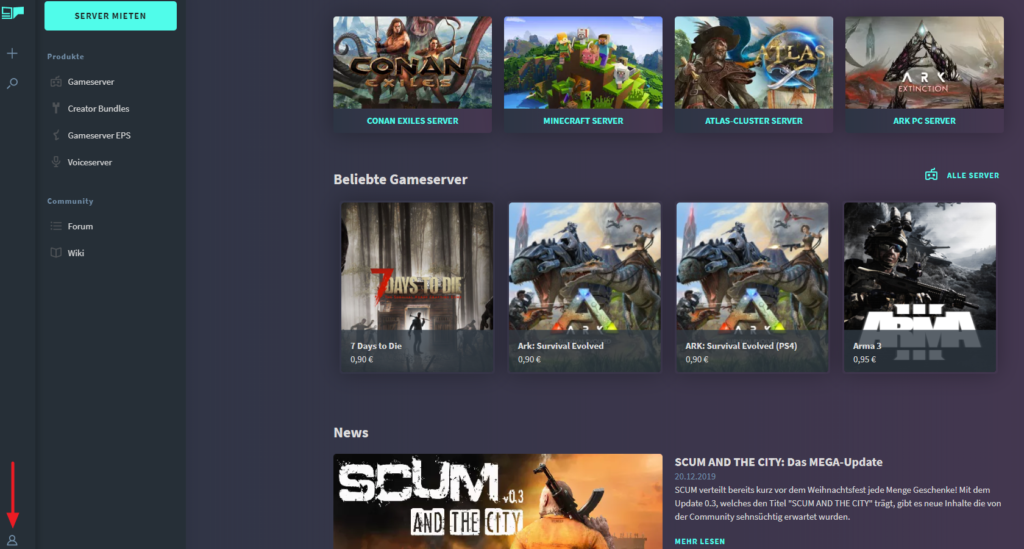
- Log on to our website
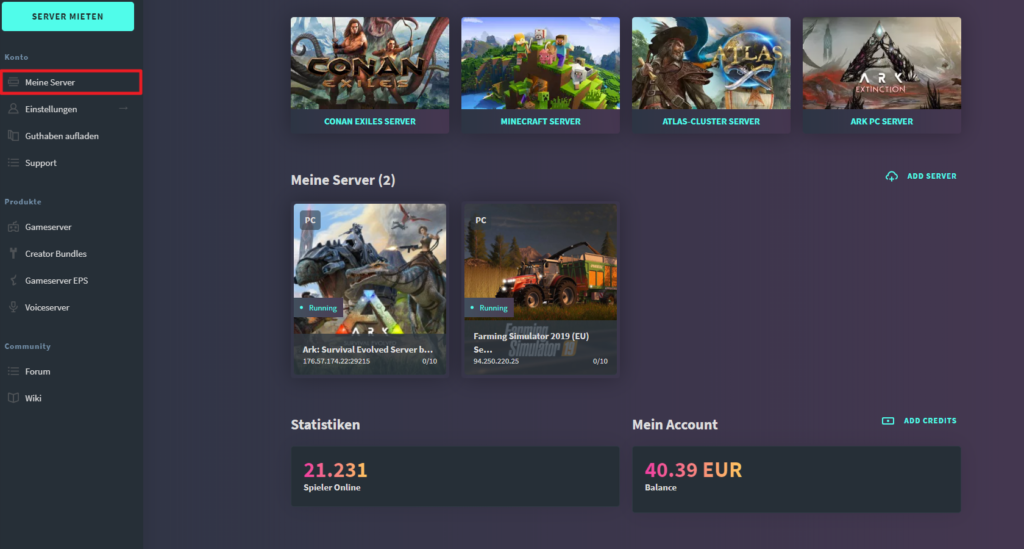
- Click on “My Servers” in the menu on the left
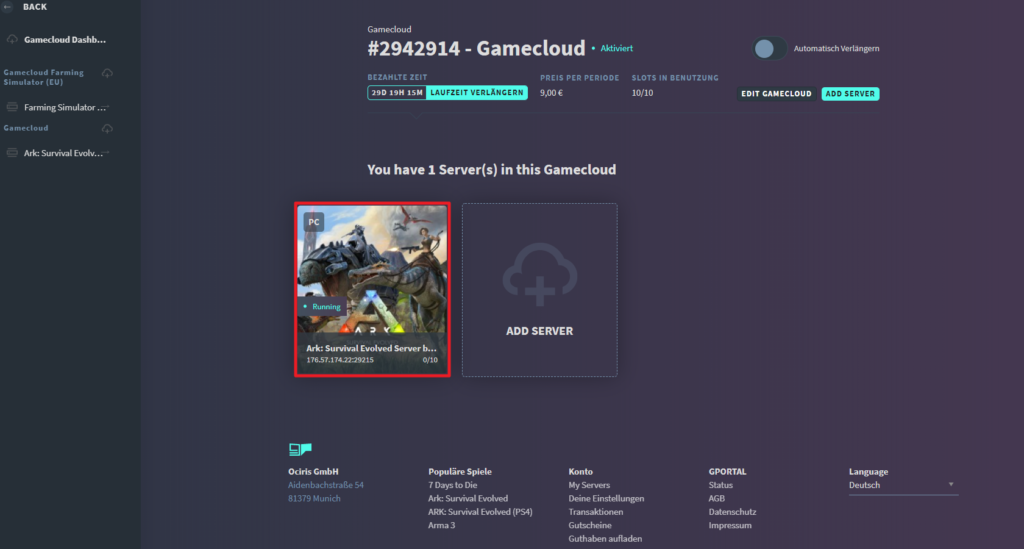
- Select the desired server
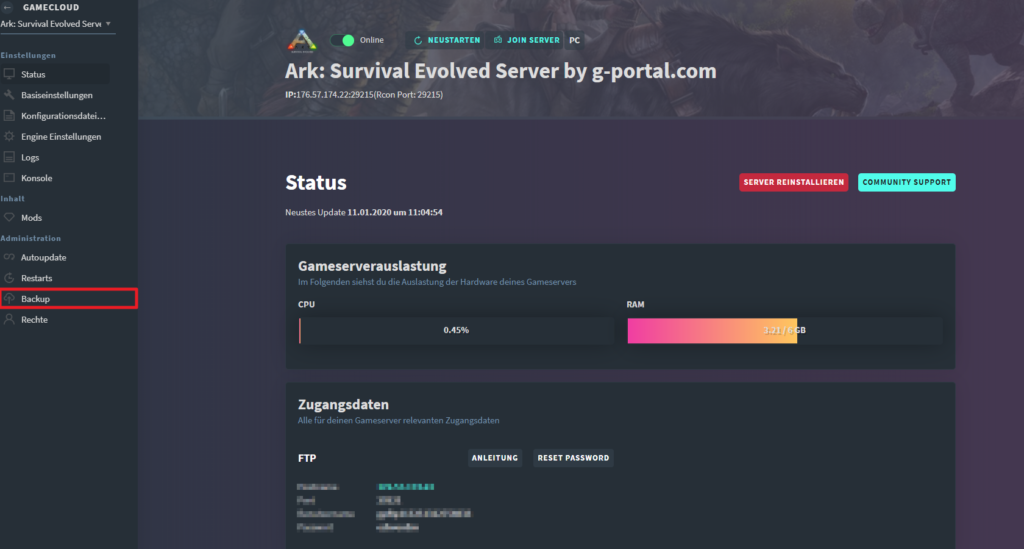
- Click on “Backup” in the “Administration” menu on the left
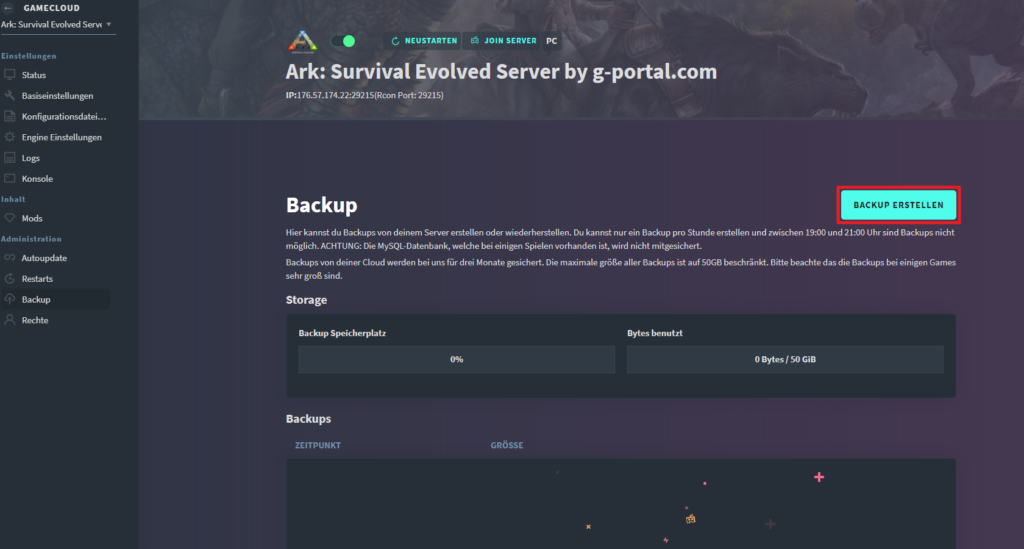
- Click on “Create Backup“
- The server stops for the backup
- After creating the backup, the server restarts automatically

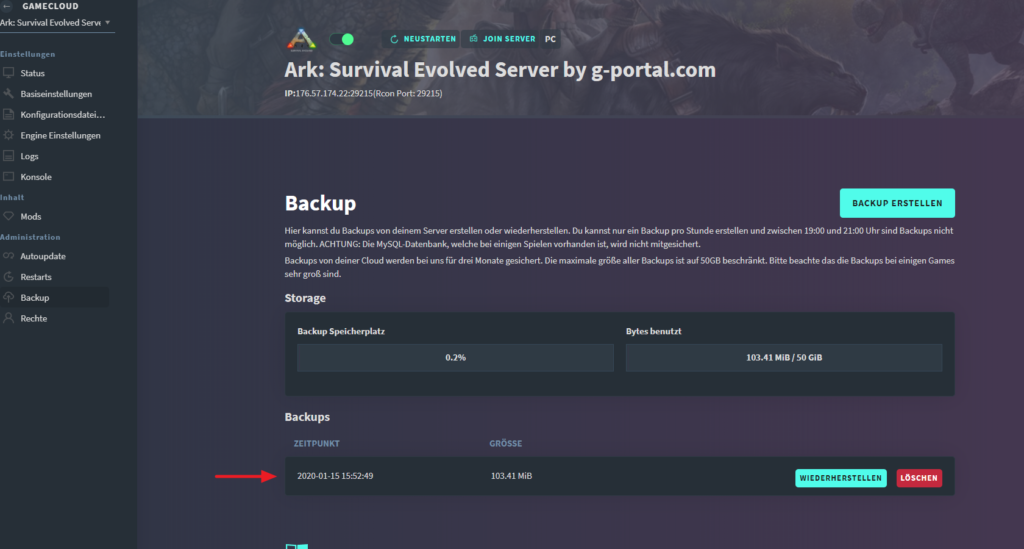
Log in to our website Click on “My Server” in the menu on the left Select the desired server Click on “Backup” in the “Administration” menu on the left Click on “Create Backup” You see the backup in the list below
Further server configuration
How to become an in-game Admin?
- Copy your Steam 64 ID*
- Log on to our website
- Select the server
- Stop the server
- Click on “Basic Settings” in the menu on the left
- Enter your Steam 64 ID in the Basic Settings of the GPORTAL web interface
- Save and restart the server
Steam 64 ID Tool: https://steamid.io/
In-game keyboard shortcuts In the game itself, the console can be opened with “SHIFT + ~”
Alternative assignment of the console:
“SHIFT + ^”
Basic questions / FAQs
How to connect to the server via Steam?
- Open Steam and click on “Show”
- Click on “Server”
- Navigate to “Favorites” and right mouse click in the empty field
- Enter your server’s IP and query port
- Update the Favorites
- Double click on the new entry and connect
Admin Commands
| Command | What happen? |
|---|---|
| GMBuff | buffs player health and stamina to unlimited and stops hunger/thirst. |
| Teleport x y | Teleport to the given coordinates (coordinates correspond to map in-game). |
| DestroyTarget | Destroys the target at center of aim. Will leave nothing behind. |
| KillTarget | Applies max damage to target at center of aim. |
| RefreshAdminTextList | Reload Admin list from file. |
| RefreshBanTextList | Reload Ban list from file. |