V Rising
Rent a V Rising Server
Rent a V Rising Server
Genre:
Survival
Studio:
Stunlock Studios
Publisher:
Stunlock Studios
How do I connect to my V Rising server?
HintThe easiest way is to connect directly via the IP in the game itself.
- Start V Rising
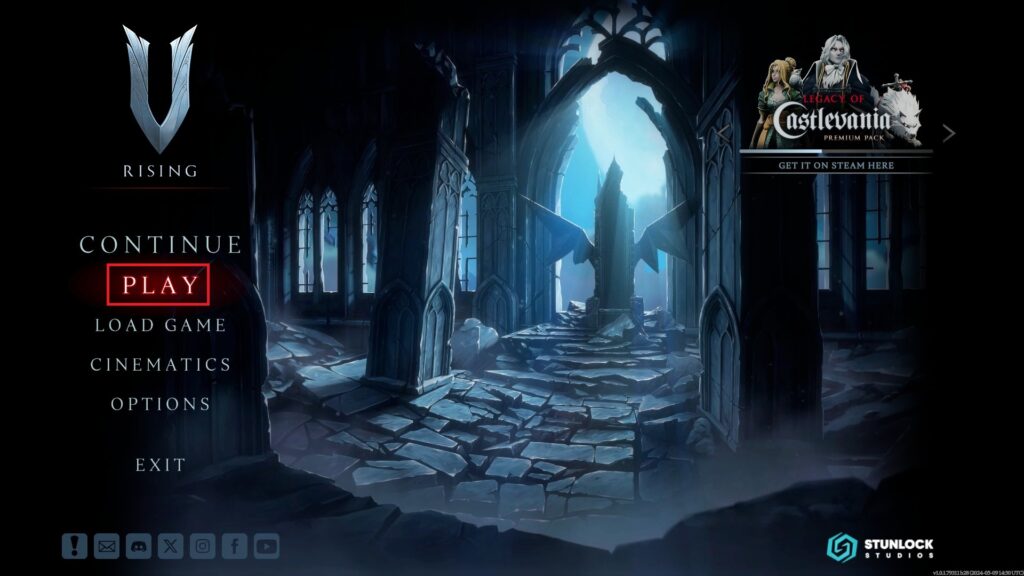
- Click on “Play” in the main menu (image 1)
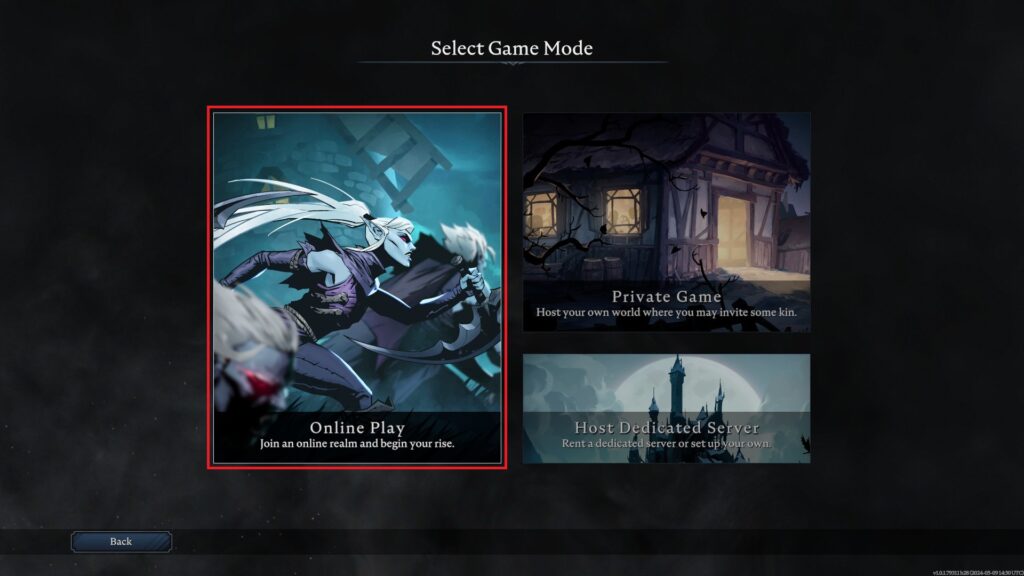
- Then select “Online game” (image 2)
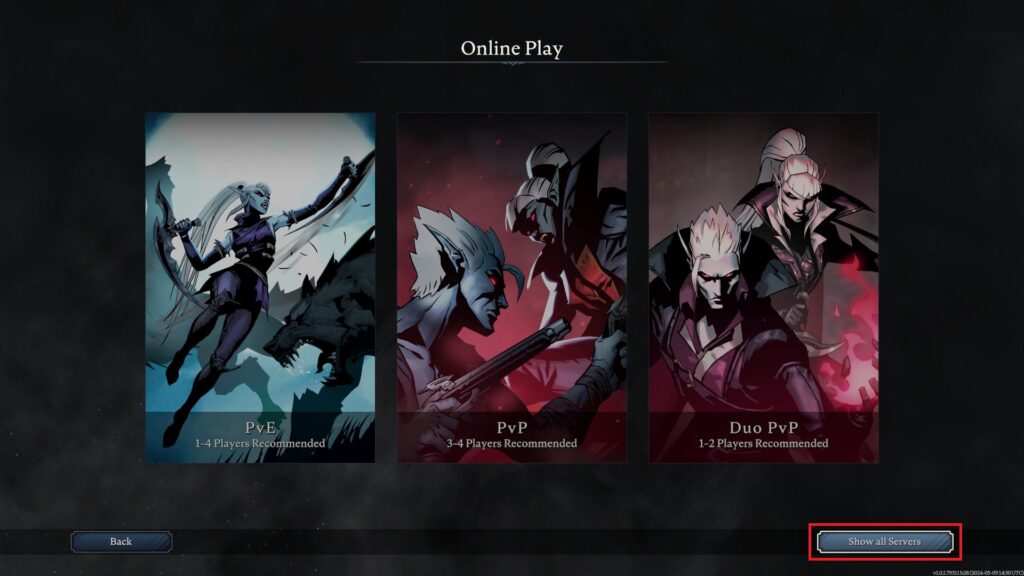
- At the bottom right you will see the button “Show all servers” (image 3), click on it
- A server list will now open
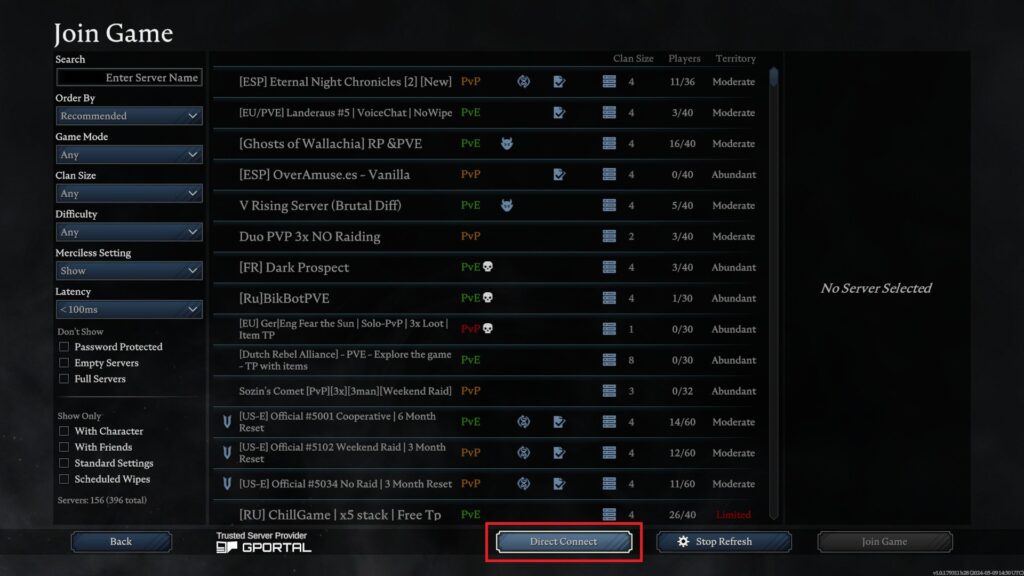
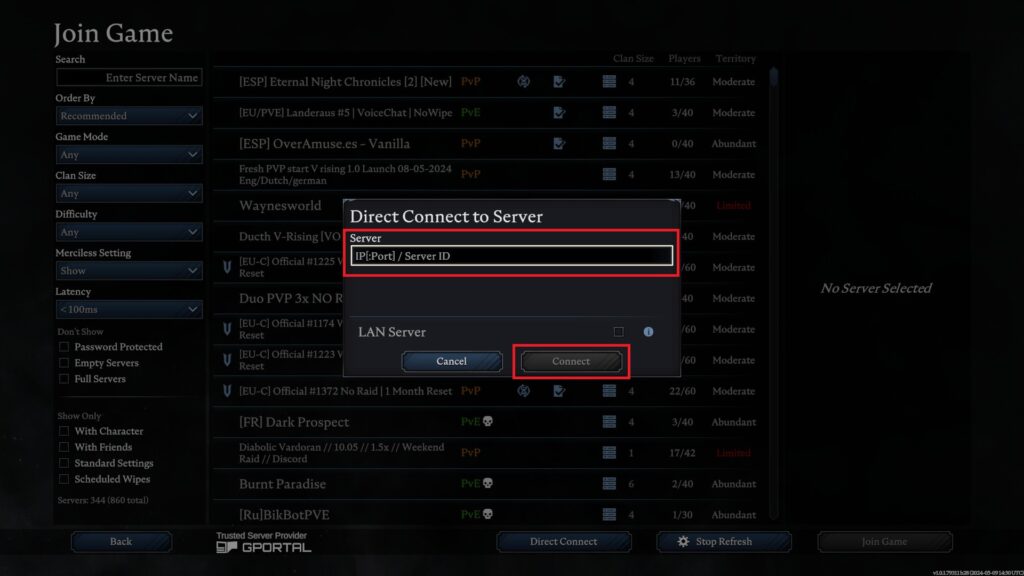
- At the bottom you’ll see the button “Direct connection” (image 4), click on it as well
- Now enter the server IP and the corresponding port in the new window (image 5)
- You can find the IP and the port in our web interface under the status tab of your server
-> Important: Separate the IP and the port with a colon
-> Important: Change the last two digits of the port to 00 (double zero) - Below is an example of what the entry should look like:
IP = 123.456.789.012
Port = 12345
Input in the game: 123.456.789.012:12300 - Now click on “Connect” and you will land on your server