Enshrouded
Rent a Enshrouded Server
Rent a Enshrouded Server
Genre:
Survival-RPG
Studio:
Keen Games GmbH
Publisher:
Keen Games GmbH
How do I connect to my Enshrouded server?
Below we explain step by step how to connect to your Enshrouded server.
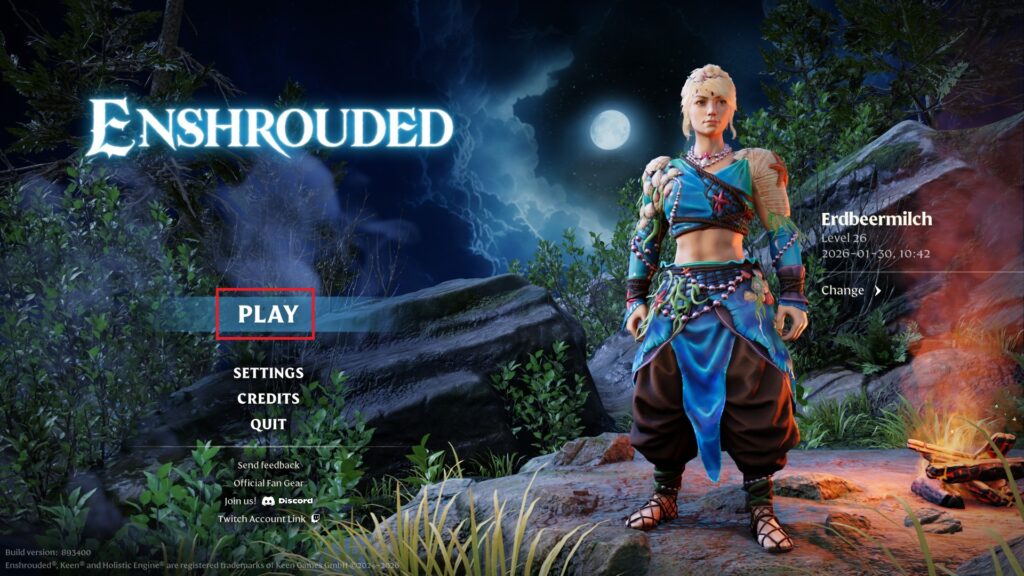
- Start Enshrouded
- Click on “Play”
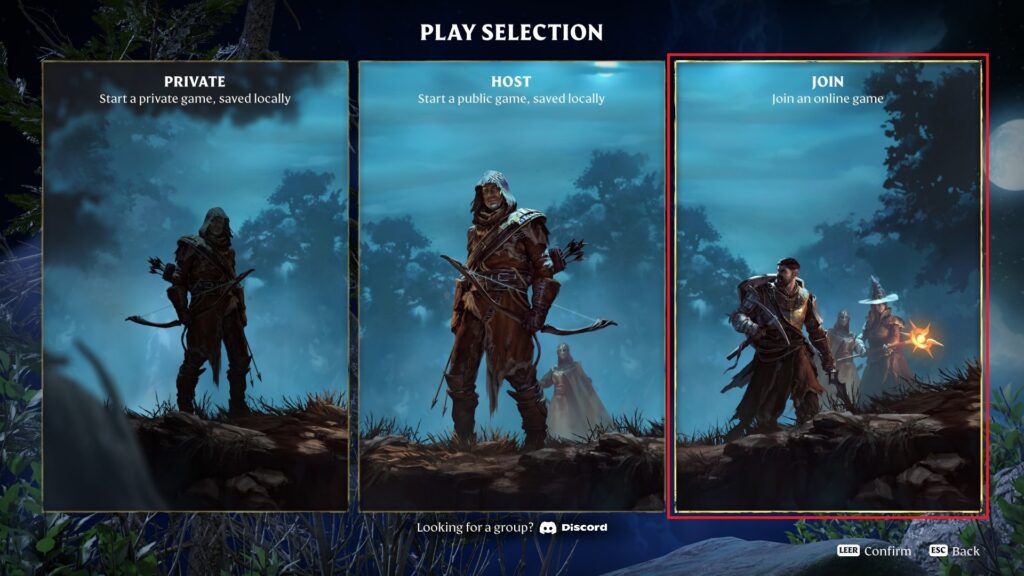
- Select “Join” in the following selection
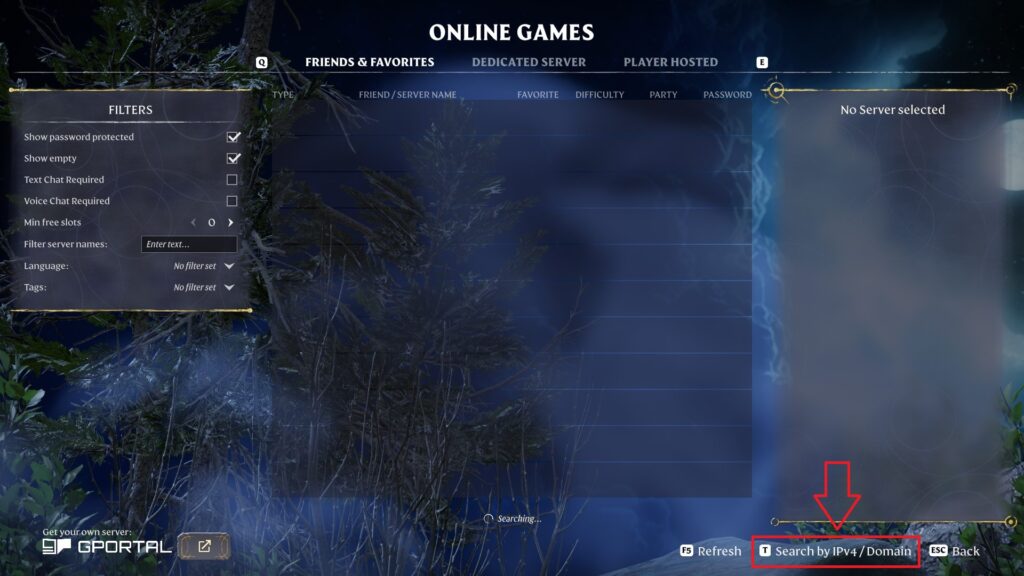
- Now click on “Search by IPv4/Domain” on the bottom right corner
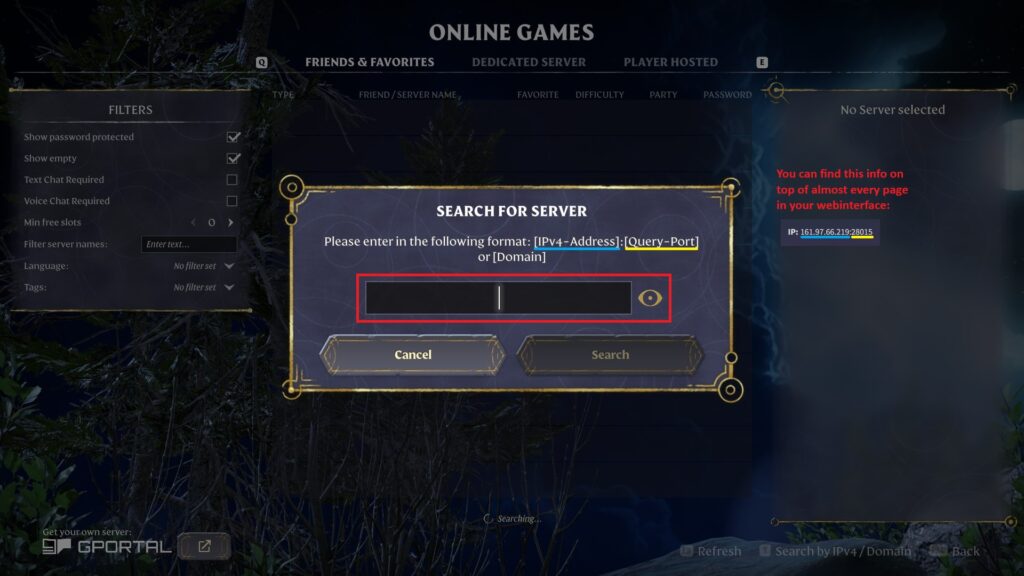
- Now enter the IP address + query port of your server in the window
- You can find this info on top of almost every page in your GPORTAL server webinterface
- There is even a small “copy” icon next to it, so you don’t miss any of it while copying
- Then click on “Search” and you should be able to see your server below
Note If you cannot find your server despite entering it correctly, you may have to add it to your favorites in Steam first. You can find all information about this in this Wiki article.
- Mark “Add to Favorites” and your server should now be displayed at the top of the “Friends & Favorites” list
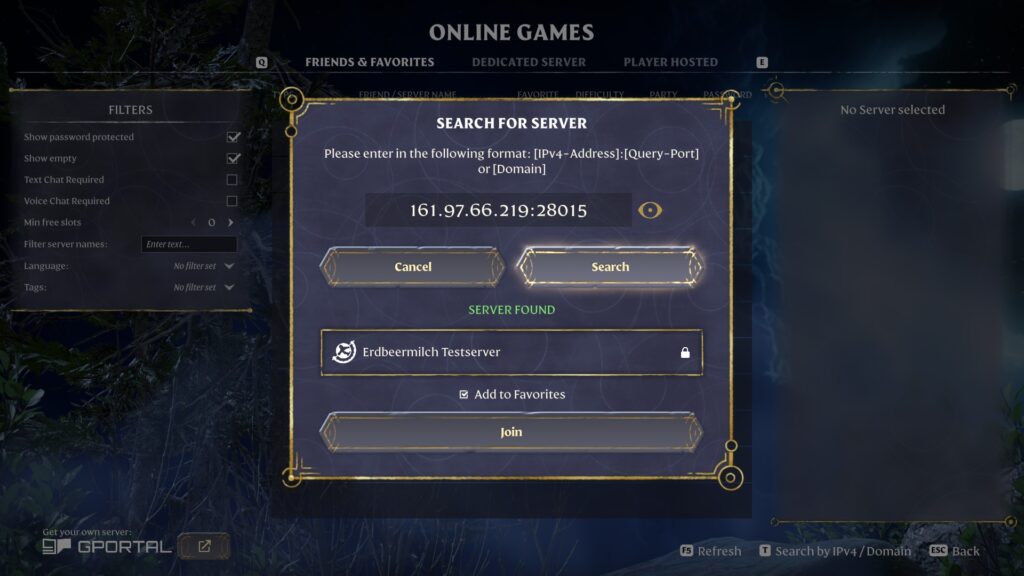
- Now just click on “Join”
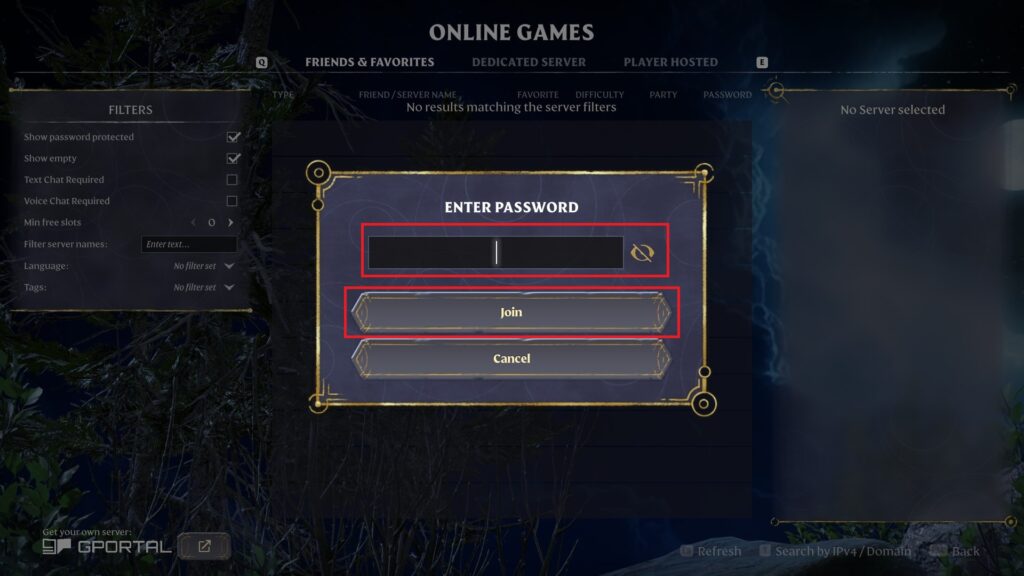
- Finally enter the password of your server or the corresponding “user group”
- You find and set those passwords in our webinterface under “Basic settings”
- IMPORTANT: If you don’t create any password by yourself, there will be one random password created, so please check on that!
Now have fun with Enshrouded and your GPORTAL server!


