How do I set up a Soulmask server on a server cluster?
To move between servers within a cluster, players must visit the mysterious island in the ocean of one of the two maps while controlling a tribe member who is not their original character.
You’ll need two servers for this; they must be rented from GPORTAL, you can’t use different hosting providers. However, they can be associated with different GPORTAL accounts.
Note: A server cluster can contain a maximum of 3 servers. There can be only one Mist Forest server and a maximum of two Shifting Sands DLC servers.
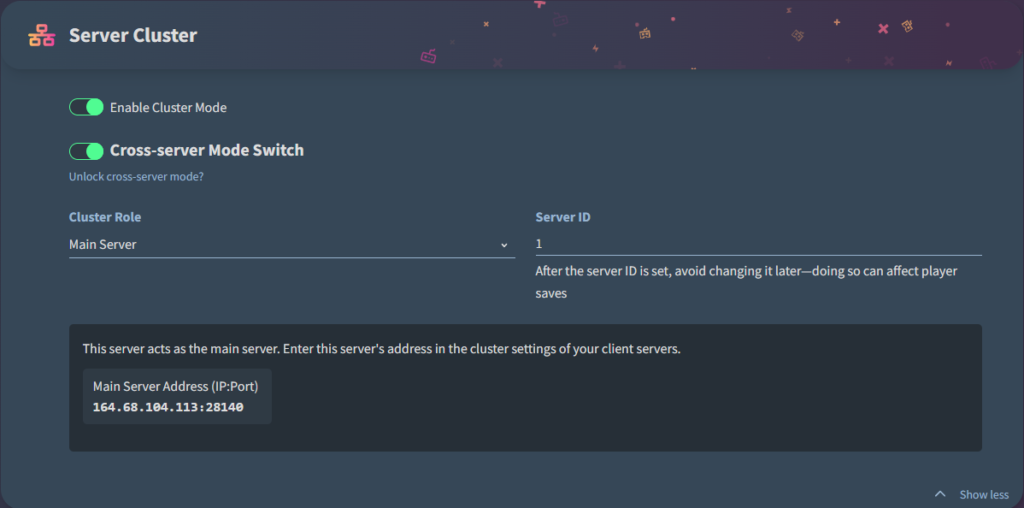
In Server Cluster mode, both options, Enable Cluster Mode and Cross-Server Mode Switch, must be set to On (the button must be green) for all servers. The server password must be the same for all servers if you have set one, since no password prompt appears while traveling.
Set up the master server
In the screenshot below, you can see how to set up the master server (the IP address shown will, of course, be different for you). Make sure that the cluster role is set to “Main Server” and that the server ID is set to 1.
Set up the client server
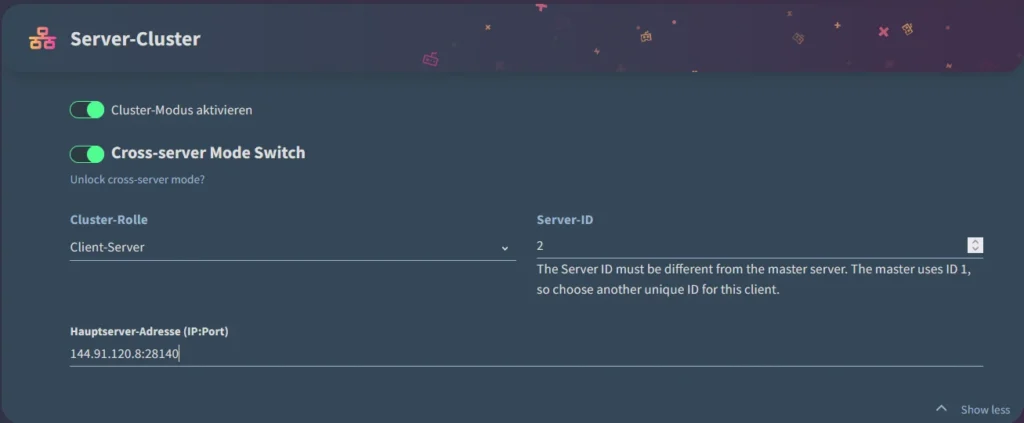
In the screenshot below, you can see how to set up a client server (the IP address shown will, of course, be different for you). Make sure that the cluster role is set to “Client Server” and that you DO NOT assign Server ID 1.
Simply copy the main server address from the master server and paste it into the client server field below.
IMPORTANT: The port number for the main server address must always end in 40.
Once you’ve configured that, you can save your settings for now. You can then make any additional changes to your server settings as needed.
Switching maps ingame
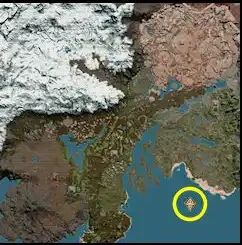
In the game, you can only change maps at a specific location. On the “Forest” map, you’ll find an island in the large bay.
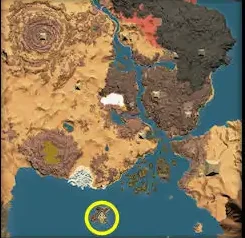
On the “Shifting Sands” DLC map, you’ll find the island at the very southern tip.
Notes:
- You can only travel with an NPC (tribe member) that you have recruited into your clan during the course of the game. You cannot travel with your main character, the one you created at the start of the game. The game will notify you of this if you try to travel.
- You can only play on one server at a time (so it’s not possible to play on both maps simultaneously). If you want to play on the other map, you’ll need to travel there as described above. Be sure to remember which server you log out of, because that’s where you’ll need to log back in. Otherwise, the server will deny you access with the following message: “The active character is on a different server.”


