ARK Survival Evolved
Rent a ARK Survival Evolved Server
Rent a ARK Survival Evolved Server
Genre:
Survival
Studio:
Studio Wildcard
Publisher:
Studio Wildcard
How do I activate events on my ARK server?
- Stop your server
- Navigate to the basic settings
- Look for the option: “active event” and select the event of your choice
- Locate the option: EventColorsChanceOverride and set the value to 0.1 to 1 (this activates the special event colors for wild dinosaurs in the game); the higher the value, the more animals are colored; a value of 1 corresponds to 100%.
- Save your changes and restart the server
Once the server is back online, join the game and run a wild dino wipe by entering the following command in the console: cheat DestroyWildDinos
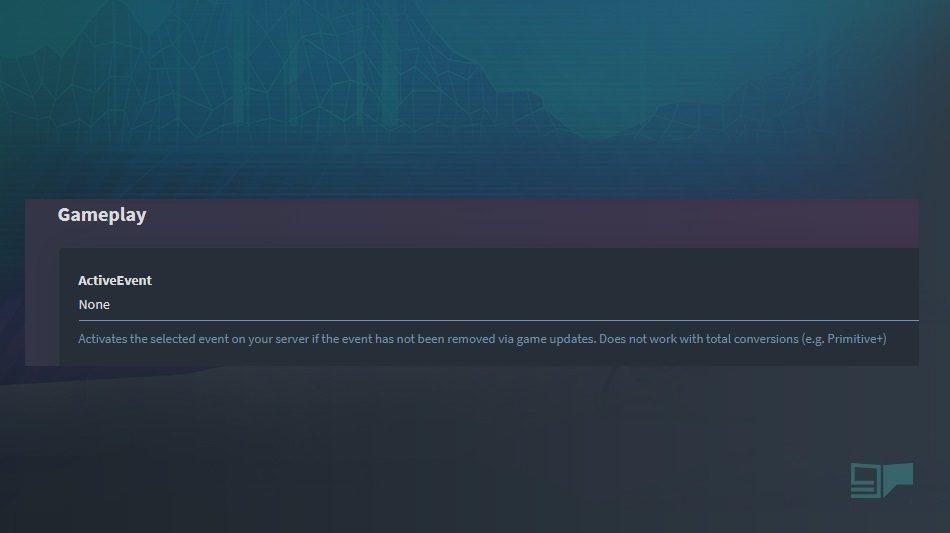
ImportantPlease note: Events that are currently not active are patched out by the game developer. Most of the time they do not work.
similar articles

ARK Survival Evolved
Rare dinos do not spawn on my ARK server

ARK Survival Evolved
How do I download the ARK game save to my computer?

ARK Survival Evolved