Home
/
Wiki
/
RuneScape: Dragonwilds
/
How can I upload a save game to my RuneScape: Dragonwilds server on GPORTAL?
RuneScape: Dragonwilds
Rent a RuneScape: Dragonwilds Server
Rent a RuneScape: Dragonwilds Server
Genre:
Survival-RPG
Studio:
Jagex Ltd.
Publisher:
Jagex Ltd.
How can I upload a save game to my RuneScape: Dragonwilds server on GPORTAL?
Uploading and managing a save file on your RuneScape: Dragonwilds server is super fast and very easy.
After you’ve rented your server, click “My Servers” and then click on your RuneScape: Dragonwilds server. You’ll now see “Save Import” on the left-hand side.
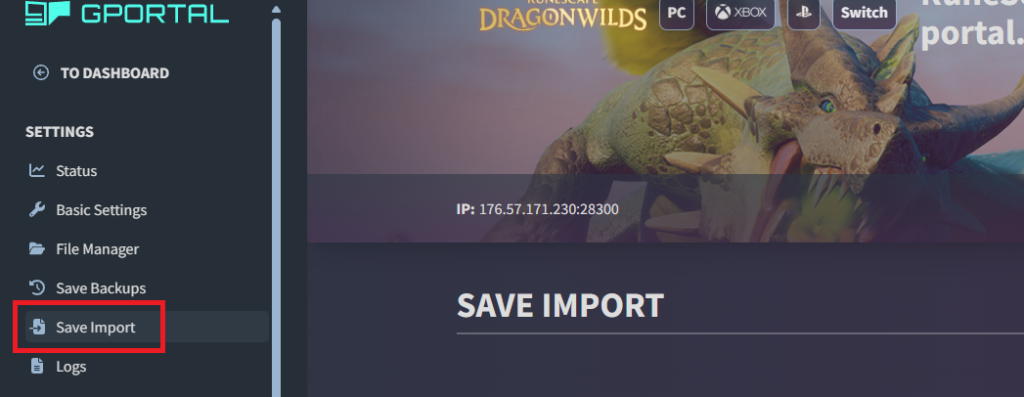
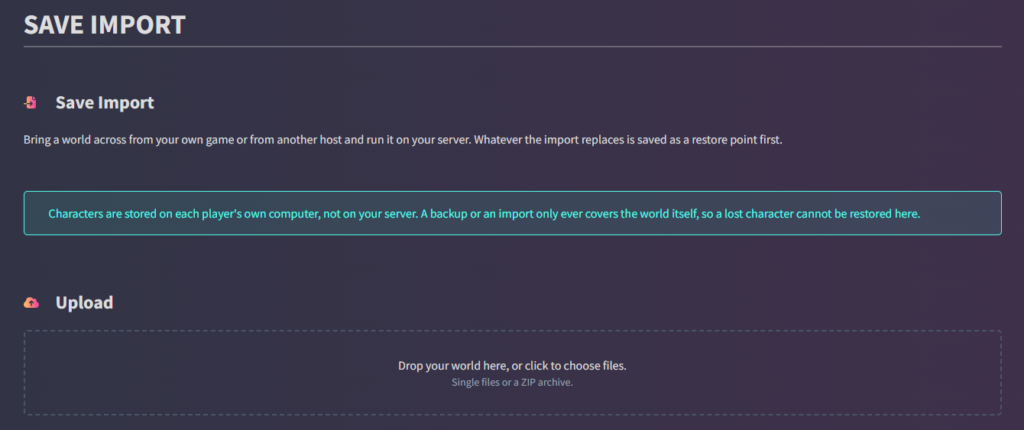
Once you’ve selected this menu item, you can easily upload your local save file or your save file from another host. It’s really quick and easy to do.
similar articles

RuneScape: Dragonwilds
Do RuneScape: Dragonwilds servers support GPORTAL cross-play?

RuneScape: Dragonwilds