Home
/
Wiki
/
The Lord of the Rings: Return to Moria
/
How to Connect to Your Lord of the Rings: Return to Moria Server
The Lord of the Rings: Return to Moria
Rent a The Lord of the Rings: Return to Moria Server
Rent a The Lord of the Rings: Return to Moria Server
Genre:
Action, Adventure, RPG
Studio:
Free Range Games
Publisher:
North Beach Games
How to Connect to Your Lord of the Rings: Return to Moria Server
Connecting Using Your Server’s Invitation Code
- Launch the game and click “Play” from the main menu
- If you haven’t already, create your character
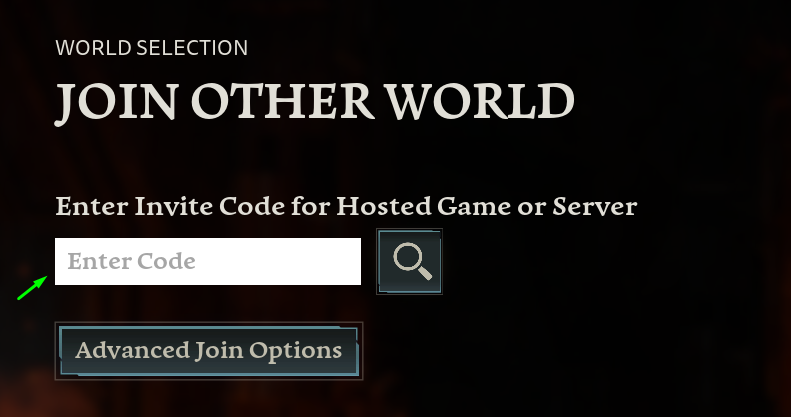
- Select “Join Other World”
- Enter your Invitation Code in the designated field.
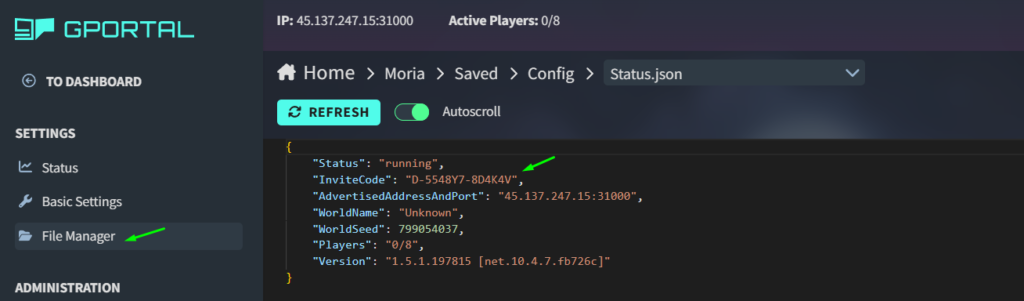
You can find your servers invitation code under: File Manager – Moria – Saved – Config – Status.json
Connecting via Steam / Epic Games
- Launch the game and click “Play” from the main menu.
- If you haven’t already, create your character.
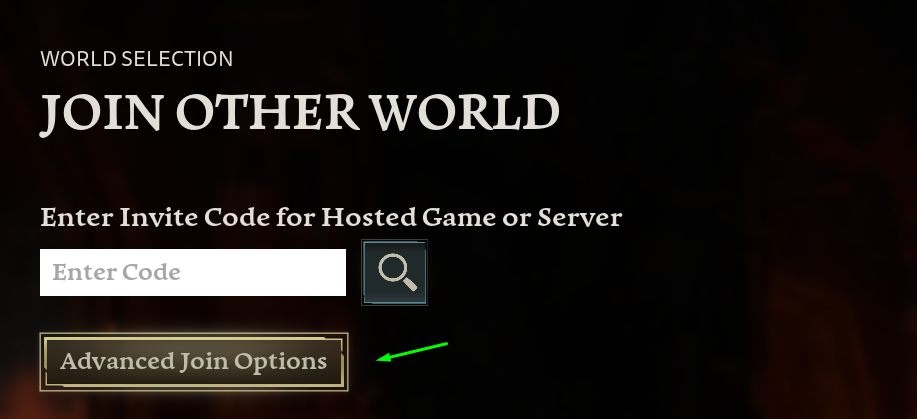
- Select “Join Other World”, then choose “Advanced Join Options”
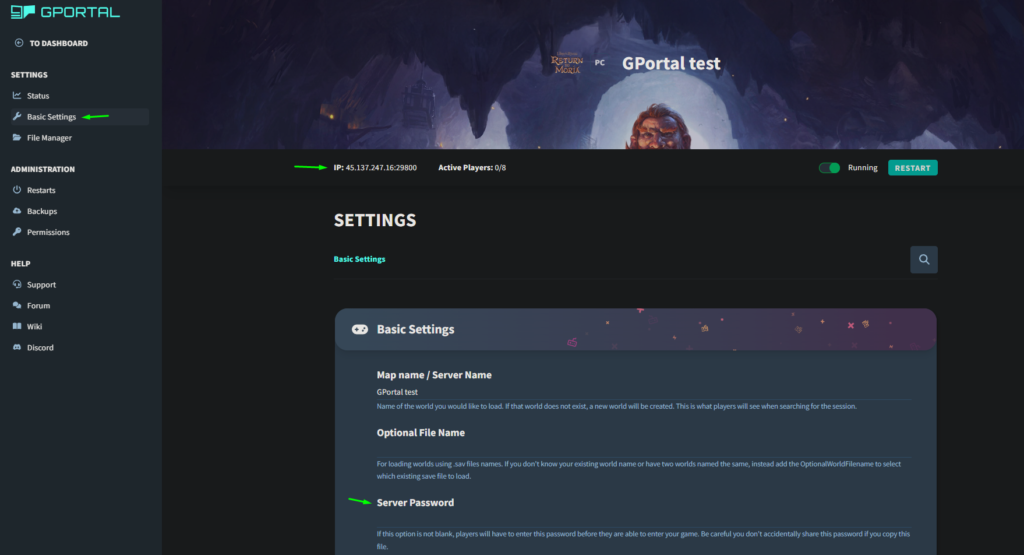
- In the connection window, enter your server’s IP address, port and password (if set).
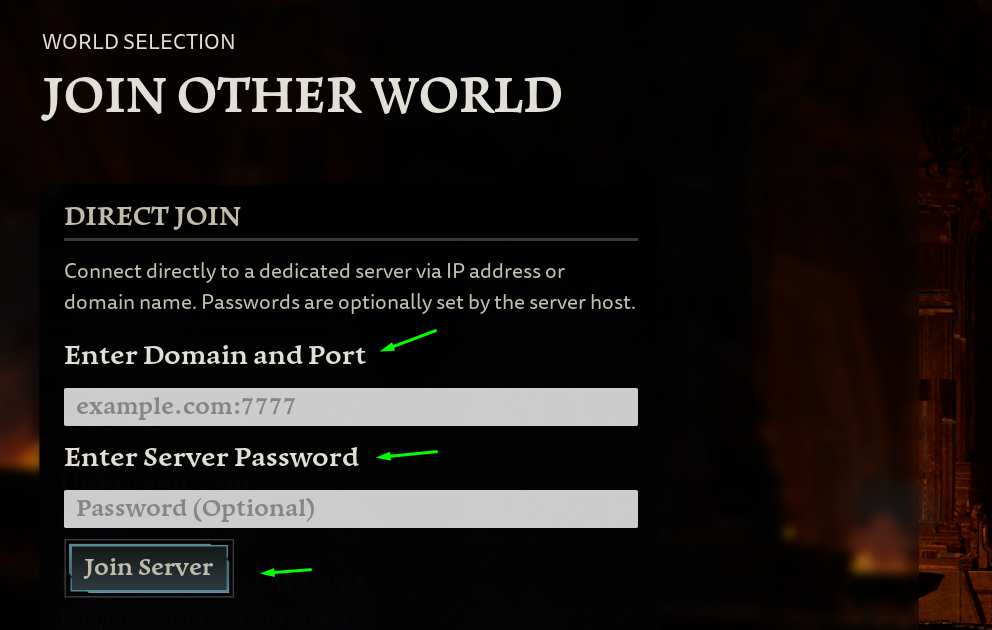
You can find these details in the Basic Settings section of your GPORTAL web interface.
similar articles

The Lord of the Rings: Return to Moria
How to Change Player Permissions Lord of the Rings: Return to Moria

The Lord of the Rings: Return to Moria