Windrose
Rent a Windrose Server
Genre:
Open-World-Survival
Studio:
Kraken Express
Publisher:
Kraken Express, Pocketpair Publishing
Rent a server
Rent a Windrose Server
Genre:
Open-World-Survival
Studio:
Kraken Express
Publisher:
Kraken Express, Pocketpair Publishing
Windrose – Solutions for the known problem “RewardLevel < CurrentLevel”
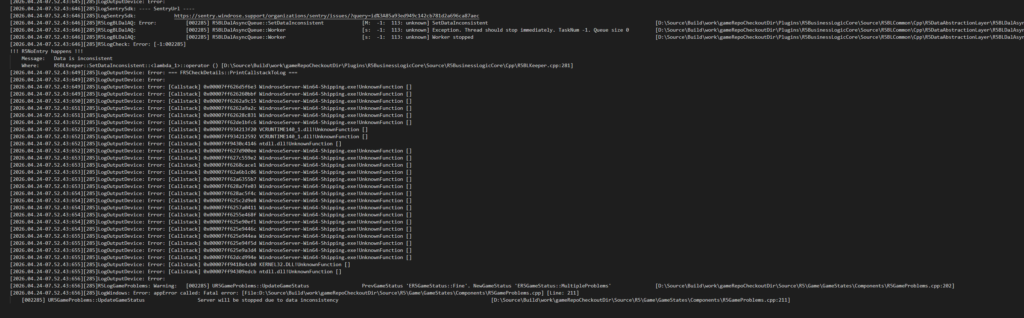
There is currently a problem where a player character can cause a server to crash when attempting to connect. The error message may look like this:
RewardLevel < CurrentLevel
The server output or log may then look similar to the following screenshot:
What causes this?
This problem occurs when you switch to a server with a higher XP multiplier than your own server and then try to switch back. When you switch, your character save file gets “corrupted,” so to speak.
Possible solutions:
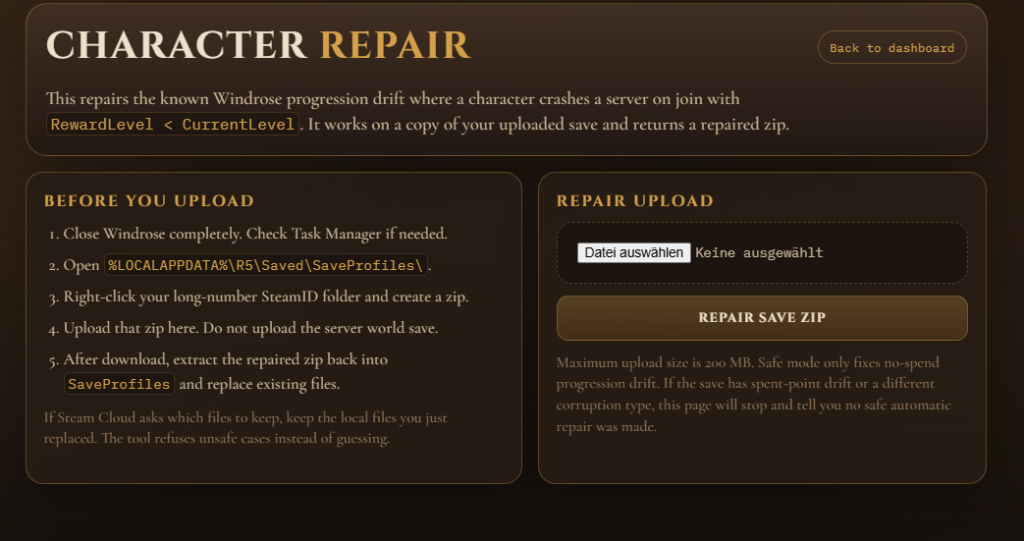
- Enable “WindrosePlus” in our web interface and use the repair function provided in the mod framework to fix the game save
- You can find this option in the basic settings
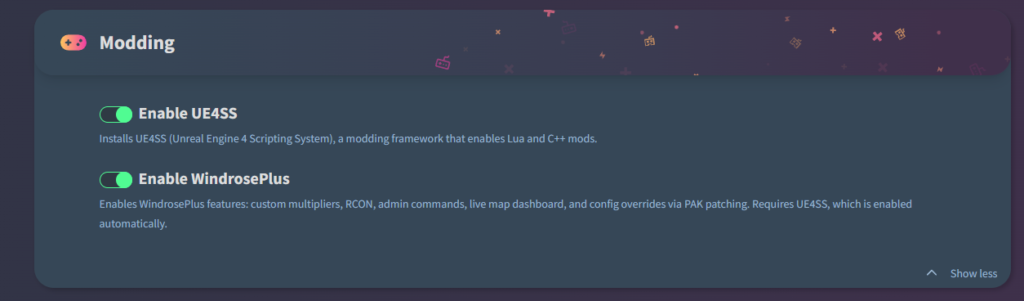
- And here’s where you can download the WindrosePlus mod framework:
https://github.com/HumanGenome/WindrosePlus- Of course, you can do much more with it, but for the purposes of this article, the repair function is what matters, and it should look like this:
- Alternatively, you can simply reset your character profile; that should also fix the problem
- You can do this by resetting your character on the client PC using the path C:\Users\AppData\Local\R5\Saved\SaveProfiles (using the backup folder)
- However, we generally recommend using the WindrosePlus Mod Framework
Note Please also note that the bug and its potential solutions may change whenever new patches or updates are released for the game. Furthermore, there is never a 100% guarantee of a solution. Due to a wide variety of variables, this is simply not always possible.


