Home
/
Wiki
/
Conan Exiles Enhanced
/
Conan Exiles Enhanced – How to switch my GPORTAL server to the UE5 version?
Conan Exiles Enhanced
Rent a Conan Exiles Enhanced Server
Rent a Conan Exiles Enhanced Server
Genre:
Survival
Studio:
Funcom
Publisher:
Funcom
Conan Exiles Enhanced – How to switch my GPORTAL server to the UE5 version?
Want to upgrade your Conan Exiles server to UE5 (Conan Exiles Enhanced)? Here’s how:
- Go to your Basic Settings
- Select Conan Exiles Enhanced under the Branch selection
- Save – done!
Info: You got it right, when you see the green info below the branch selection.
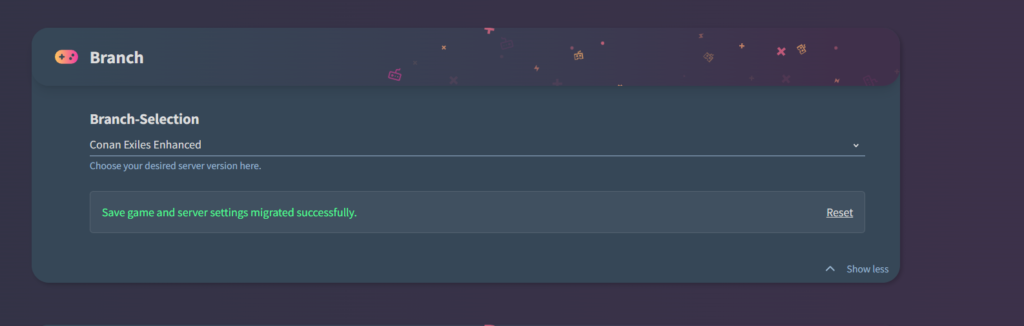
Important: You can also migrate your save files and settings if needed.
What about mods?
- Mods from the UE4 version will NOT automatically work with UE5
- The Steam Workshop does not clearly separate UE4 and UE5 mods
- Make sure to check if the mod creator mentions compatibility with UE5 in the title or description
VERY IMPORTANT: If you have mods installed that are only made for UE4, your server will NOT start on the UE5 branch!
similar articles

Conan Exiles
How do I install Conan Exiles mods? (PC)


Conan Exiles