Conan Exiles
Rent a Conan Exiles Server
Rent a Conan Exiles Server
Genre:
Survival
Studio:
Funcom
Publisher:
Funcom
How do I install Conan Exiles mods? (PC)
Installing mods for Conan Exiles is super easy with our built-in mod feature.
- First, log in to your GPORTAL account and click on your Conan Exiles server under “My Servers”
- Then select “Mods” on the left and you will see the following menu
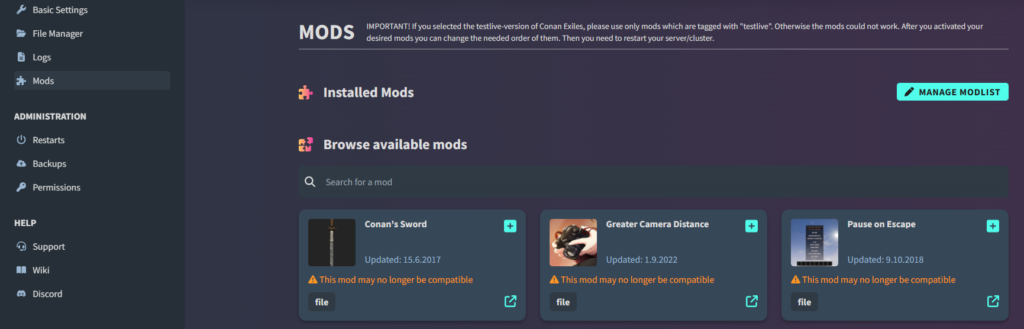
- Here you can browse through the different mods
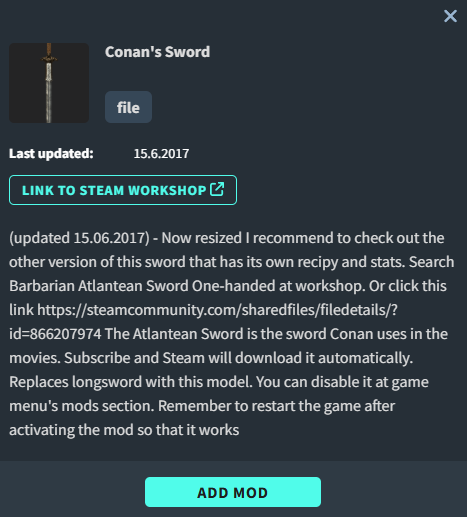
- Click on the plus icon next to a mod to get more information about it
- By clicking on “Add mod,” you can then add it to your server
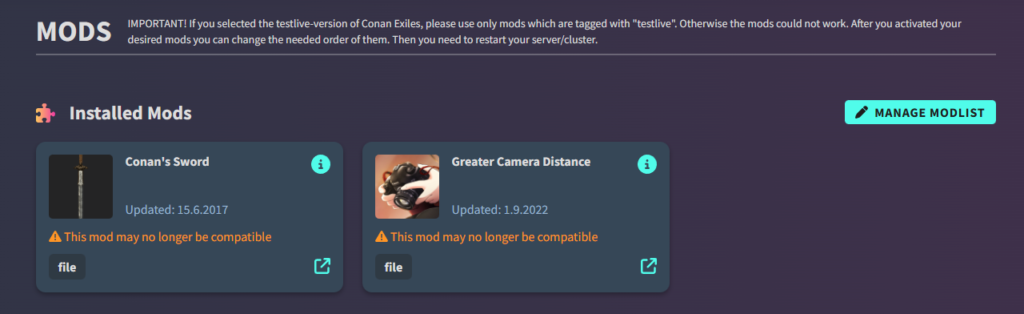
- At the top, you can see all the mods you have added so far
Imortant Please note that if you add mods via our web interface, you must also add them directly in the game under “Mods.” The same applies if you want to remove them. Be sure to restart the game after adding / removing mods in-game, and everything should work smoothly.
- You can then enable and disable them individually via “Manage Mod List”
- Here you can also delete individual mods again
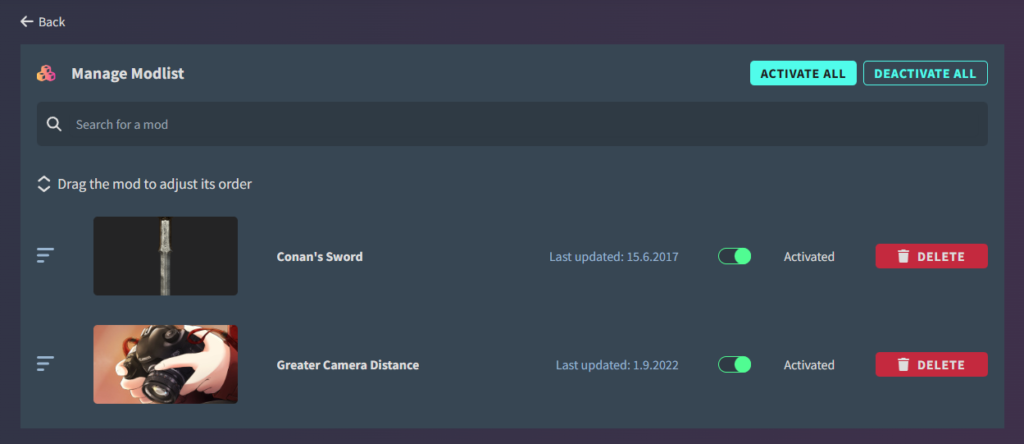
- Don’t forget to save all changes at the end
- Your server will then be restarted in the process
similar articles


Conan Exiles Enhanced
How to setup your Conan Exiles Enhanced Server at GORTAL (Video)

Conan Exiles Enhanced