ARK Survival Evolved
Rent a ARK Survival Evolved Server
Rent a ARK Survival Evolved Server
Genre:
Survival
Studio:
Studio Wildcard
Publisher:
Studio Wildcard
ARK Server – How do I increase stats per level?
- Log on to our website
- Click on “My Servers” in the menu on the left
- Select the chosen server
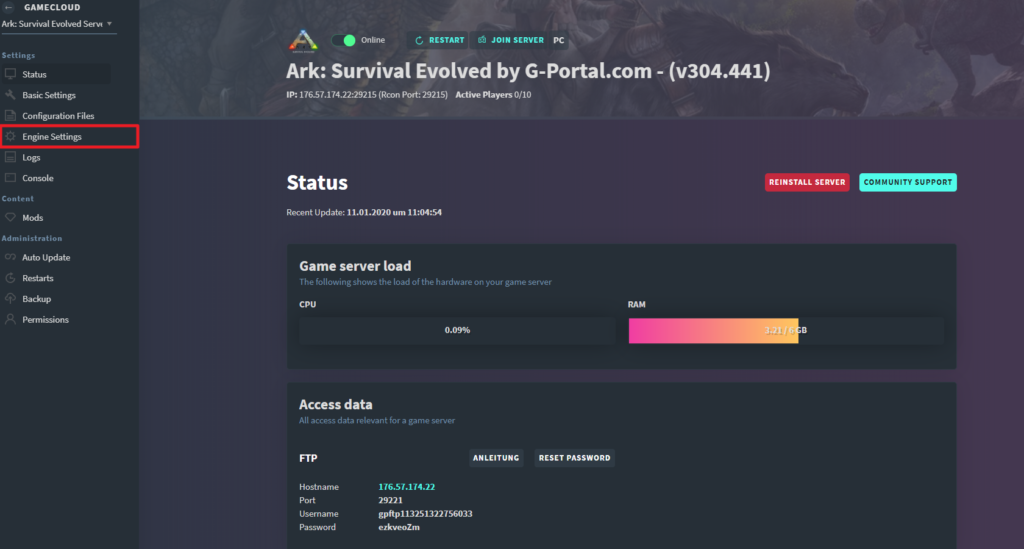
- Click on “Engine Settings“
- Change the multiplier values in the interface

Log in to your GPORTAL account Click on “My Servers” in the left menu Select “Engine Settings” in the left menu and adjust the multiplier values in the interface


Calculating the multiplier
- 1 = 5 points per level
- 10 = 50 points per level
- 100 = 500 points per level
You can change the multiplier for players, wild dinosaurs, and tamed dinosaurs.
similar articles

ARK Survival Evolved
How do I connect to my ARK server via Playstation?

ARK Survival Evolved
How do I replace / disable dinos in ARK?

ARK: Survival Evolved