GPORTAL FAQ
Genre:
Support
Studio:
GPORTAL
Publisher:
GPORTAL
How do I create a backup of my GPORTAL server?
Creating a backup is very quick and easy. We strongly recommend that you create regular backups so that you don’t lose any progress in case of doubt.
For creating backups, we provide you with 50 GB of storage space on your server as standard.
To create a manual or automatic backup for your server, proceed as follows:
- Log in to our website and click on “My Servers”
- Now select the server for which you want to create a backup
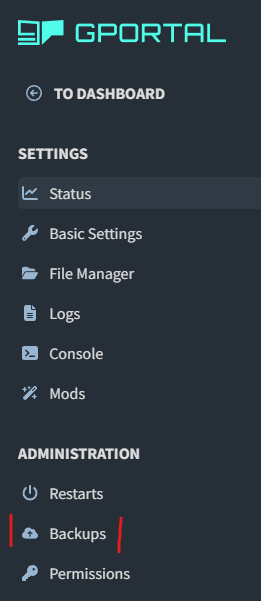
- Then click on “Backups” on the left-hand side
- On the new page, you can now activate automatic backups at the top
- Simply click on the gray button to turn it green
- Please note that a restart must be specified in order to activate automatic backups.

- Alternatively, you can scroll down a little and you will see the option to create a manual backup
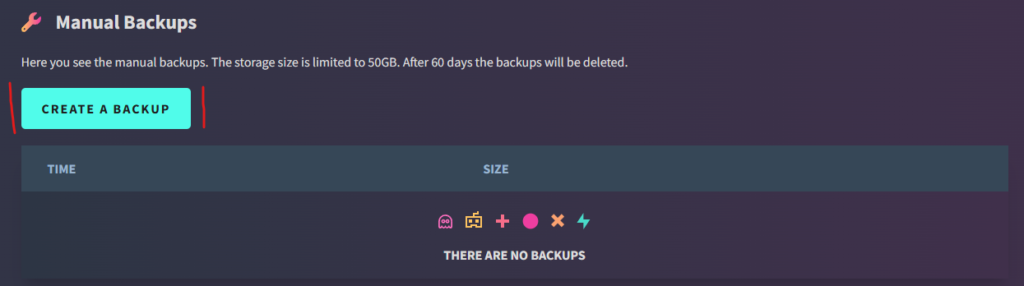
- The backups you have created will also be visible here
We would like to take this opportunity to once again strongly recommend that you always set up the backup feature or manually create regular backups. Nothing is more frustrating than suddenly losing all the progress you have worked so hard to achieve.
similar articles


GPORTAL FAQ
What is a FTP client?

GPORTAL FAQ